LAUNCH PREVIEW Purchases are not open yet.
KeepSuite

THREE DESKTOP APPS. ONE SIMPLE PURCHASE.

Your work.
Your computer.
Yours to keep.

Write a document. Make the numbers work. Bring an idea to the screen. KeepSuite gives you three separate Windows apps for $5 total.

Local editing · Personal and business use · Optional AI

ON YOUR DESKTOP01 / 02 / 03
Stage Present
MAKE ROOM FORYour next
good idea.
01 — A fresh perspective
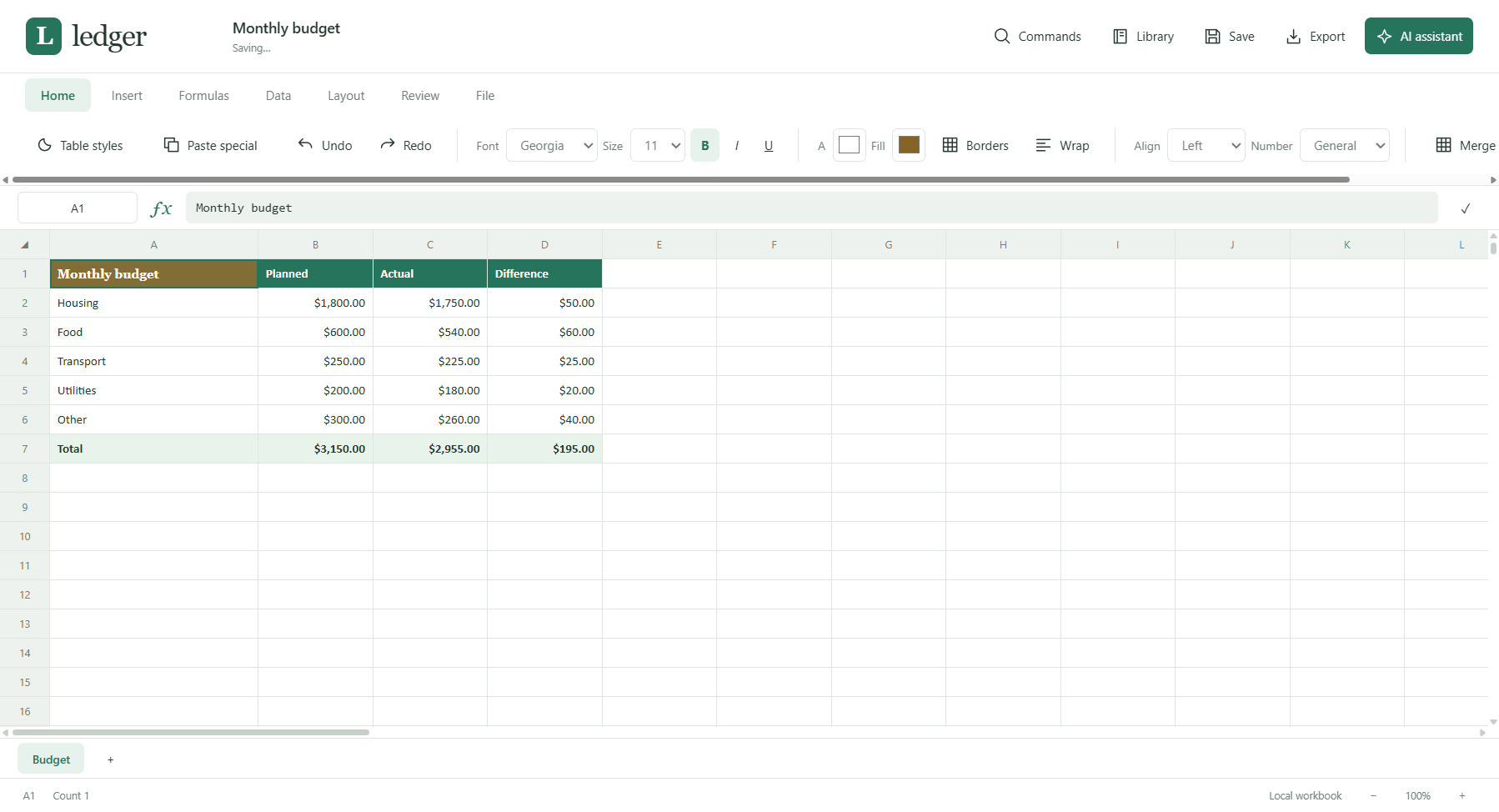
Ledger Calculate
AB
1Project budgetAmount
2Supplies$120
3Travel$80
4Total$200
One clear picture of your numbers.
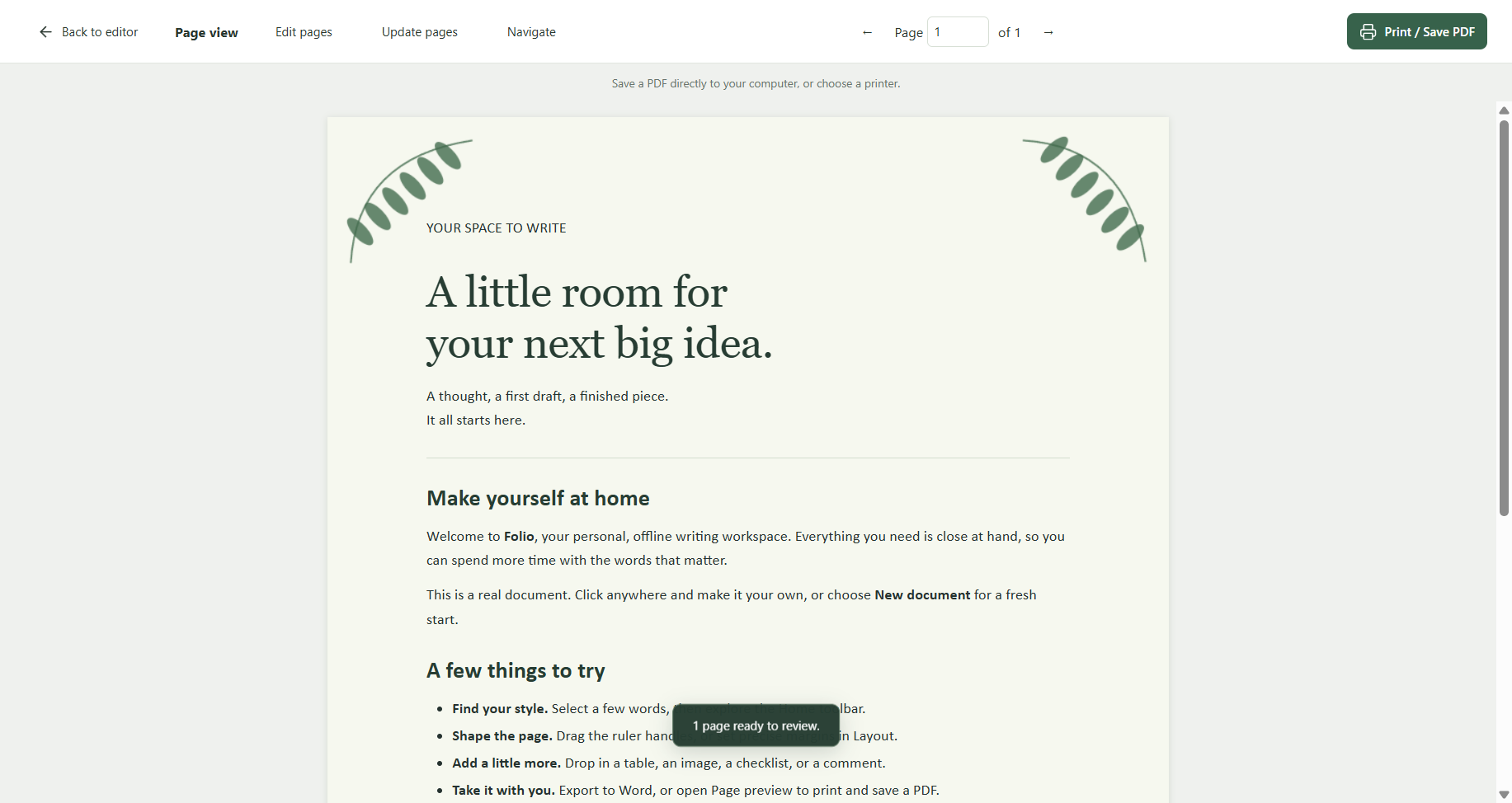
Folio Write
THE EVERYDAY NOTEBOOK

A little space
to think clearly.

Good ideas deserve a place to grow. Start with a thought, give it shape, and make it your own.

Your next chapter starts here.
App illustrations · actual layouts may vary
Buy once.Work offline.Keep your files.Choose your AI.

YOUR EVERYDAY TOOLKIT

Three apps.
Each with its own job.

Separate icons, separate windows, separate libraries. Open only the app you need.

01 / DOCUMENTS

Folio

From a quick letter to a carefully laid-out document.

  • Rulers, margins, headers and border art
  • Spelling, text revisions and draft comparison
  • Contents, notes, styles and templates
  • Format painter, reusable text and spacing cleanup
  • Eight decorative page designs
Save & share.folio · .docx · .pdf
02 / SPREADSHEETS

Ledger

Plan a budget, organize a list and see what the numbers say.

  • Worksheets, formulas and formatting
  • Sorting, filtering and data validation
  • Charts and summaries
  • Paste special, series fill and automatic checkpoints
  • Eight coordinated table styles
Save & share.ledger · .xlsx · .csv
03 / PRESENTATIONS

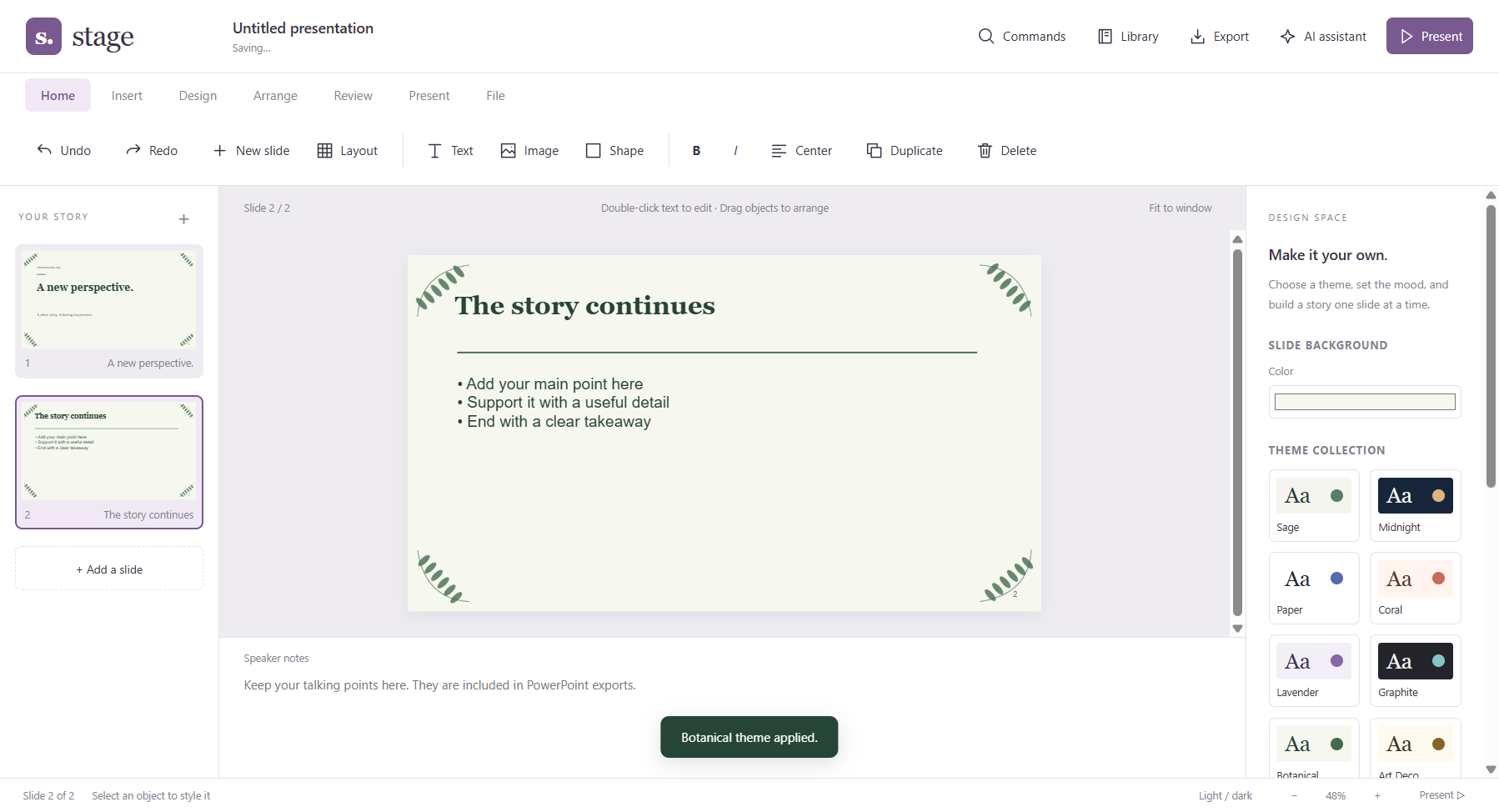
Stage

Turn your ideas into a presentation worth sharing.

  • Editable slides, themes and images
  • Shapes, tables and charts
  • Speaker notes and presentation mode
  • Searchable outlines and precise object arrangement
  • Eight decorative slide themes
Save & share.stage · .pptx · .pdf

Works with common Office file content. Advanced features and exact layout fidelity vary; check imported files before sharing. KeepSuite is independent software and is not affiliated with Microsoft.

A LITTLE MORE PERSONALITY

Make it feel like yours.

Eight coordinated looks, from leafy Botanical to geometric Art Deco. Choose a decorative page, a matching table style or a presentation frame. Plain designs are always available.

YOUR FILES, YOUR CHOICE

Local. Private.
On your terms.

Everyday editing and saving happen on your computer. No KeepSuite account or cloud connection is needed to get your work done.

Plain-language privacy notes ↗
01

Just the apps

Write, calculate and present offline. Export backups to a folder or drive you control.

Ready without AI
02

AI on your computer

Connect to Ollama and choose a model you have installed locally. Models are a separate download.

Optional · local
03

Bring your own API key

Choose a supported cloud provider. When you send a request, its prompt and selected document context go to that provider. Provider charges and privacy terms apply.

Optional · online

LESS SETUP. MORE DOING.

A familiar install.
A clear place to start.

Normal Windows setup windows. No commands to type and no separate browser workspace.

  1. 1

    Download

    Download KeepSuite-Setup.exe for all three apps, or choose individual installers. If supplied in a ZIP, choose Extract All first.

  2. 2

    Install

    Open KeepSuite-Setup.exe, enter your purchase code while online and choose your apps. Each app installs independently.

  3. 3

    Make something

    Open the app from its desktop shortcut or Start menu. Your work saves locally; export a backup when you need one.

Made for Windows

Windows 11 · Intel/AMD 64-bit (x64) · about 3 GB free for the apps and installation files. Mac, Chromebook, Linux and ARM builds are not included. Local AI has additional model-specific requirements.

ONE PURCHASE. THREE APPS.

No monthly bill.
Just your toolkit.

Keep using the versions you buy. Save a copy of the installers so you can reinstall later.

“Yours to keep” means a permanent license to use the purchased versions. Future major upgrades, unlimited support and cloud AI credits are not included promises. Your documents remain yours.

THE KEEPSUITE BUNDLE
$5USD
one time

Folio + Ledger + Stage

  • Three separate Windows apps
  • No subscription · two computers per purchase
  • Local editing and saving
  • Optional Ollama and your own API keys
Purchase options ↗

Sales are not open yet. Final checkout and signed installers are being prepared.

Any applicable taxes will be shown before payment.

HELP, WHEN YOU NEED IT

A clear next step.

Find answers or follow a practical guide for documents, spreadsheets, slides, themes and AI.

A FEW THINGS WORTH KNOWING

Simple answers.

Is $5 the price for all three apps?

Yes. The proposed launch offer is $5 USD total for Folio, Ledger and Stage, paid once. Any applicable taxes will be shown at checkout. This preview does not take payments.

Do I need the internet?

Downloads and purchase-code verification during installation need internet access, including reinstallations. After activation, ordinary editing and saving work offline. Cloud AI needs internet access; local Ollama can work without it after its model has been downloaded.

How do computer limits work?

One purchase covers all three apps on two computers. Reinstalling on the same Windows computer reuses its slot. Use Help → License & computers to release a slot while online before moving to another computer. If Windows is reinstalled or a computer is lost, contact support. Reinstallations require the activation service to remain available.

Do I have to use AI?

No. You can optionally connect Ollama or add your own provider and API key. No AI model or paid API usage is included in the purchase price. Local processing requires a local model, not a cloud model configured through Ollama.

Can I share files with Word, Excel or PowerPoint users?

You can export common formats: DOCX from Folio, XLSX from Ledger and PPTX from Stage. Complex layouts and advanced Office features may change or be unsupported. Keep an editable backup in the app’s own format, and review exported files before sharing.

What does “yours to keep” mean?

Your right to use the purchased versions has no subscription expiry. It does not transfer software copyright, include every future upgrade, guarantee future operating-system compatibility or promise permanent download hosting. Keep a backup of your installers.

Where are my documents saved?

Each app keeps a separate local library on your computer. Export native Folio, Ledger or Stage files for independent backups. There is no automatic cloud backup.

Can I buy it today?

This is a launch preview. Public sales are pending payment setup, final policies, release checks and publisher signing. No payment details are collected here.